
MP3Juice
MP3Juices: search, preview and save music in your browser
You do not need an account or an app. Type a song, an artist or a YouTube link, look through the results and pick the version that matches. The play button opens a player under the result. The download button opens a separate panel with the MP3 option for that video.
The site is a search interface. It does not keep a music library and it does not store audio files on its server. Results come from public sources, so what you see depends on what those sources have. A video that is blocked in one country may not appear at all.
Trending music and new releases
Popular tracks in South Africa this week. Pick one to open its search results.
-
 Ichunu
Mthandeni SK
New release
-
 Halala
SNQAMU SODIDLA
New release
-
 Amakhala Eyiqhwaga
Mthandeni SK
New release
-
 Imikhonto
Mthandeni SK
New release
-
 Distance
Zulu Queens, Lwah Ndlunkulu, MaWhoo, Feza
New release
-
 Lashona Ilanga
Inkos'Yamagcokama
New release
-
 Hulumeni
SNQAMU SODIDLA
New release
-
 Thethelela Dlozi Lami (Gwijo)
Afro Members
New release
-
 Abahambe
SNQAMU SODIDLA
New release
-
 UKUK'THANDA YEBO
MALIBONGWE
New release
Updated from regional YouTube music trends. The list changes over time.
What this site does
MP3Juice is a browser based search tool for music and other audio. You type a title, an artist or a link. The site asks a third party index for matching videos and shows the title, channel, thumbnail and duration. From there you can preview the track or open the download panel. Some people write it as MP3 Juice or MP3Juices. It is the same tool.
There is no library to browse and no catalogue to sign into. The search is the product. That keeps the site light, but it also means the results are only as good as the source. If a song is missing, the source does not have it or does not allow it in your region.
How to find a track
- Open the search box at the top of the page.
- Type a song title, an artist name or both.
- If you already know the exact video, paste its YouTube link instead of a keyword.
- Press Search and wait for the list.
- Check the title, channel and duration. Use Play if you are not sure.
- Press Download to open the MP3 button under that result.
- Save the file and look for it in your browser's Downloads folder.
How the search works
- Search. The query goes to a public video index. The index returns the closest matches it has, not a curated list.
- Preview. The player is a separate widget that loads the video by its ID. It does not download anything until you ask for the file.
- Download. The download panel belongs to a third party service. It prepares the audio and offers the file. The speed depends on the length of the track and on the service, not on your phone.
Main features
Search by text or by link
A title and an artist usually return the closest match. A full YouTube link is more precise because it points to one video. Short links from the mobile share menu work too.
Preview before you save
The play button opens a small player under the result. A few seconds are enough to spot a cover, a live version or a clip that looked right in the thumbnail. It is quicker than downloading a file and deleting it.
Download panel per result
Each result has its own download button. You do not have to leave the list or open a second site. The panel can be closed again with the same button, and opening another result does not disturb the rest of the page.
No account
There is no sign up, no email confirmation and no profile. The site does not ask for a card. If another page asks for payment to unlock a download, it is not this one.
Works on phones and computers
The layout fits a small screen and a desktop window. The search, the player and the download panel all run in the browser. There is no app to install and no plugin to add.
Why people keep audio offline
- Flights, trains and long commutes often have no useful connection.
- A saved lecture or podcast is easier to replay than a stream that buffers.
- Mobile data costs less when a track is downloaded once over Wi-Fi.
- Some mixes and live sets disappear from public platforms after a while.
- A local file opens faster than a video page when you only want the sound.
Styles and genres
The index is not limited to one catalogue. You can look for chart pop, rock, hip hop, R&B, jazz, electronic music, country, reggae, amapiano, Afrobeats, Latin music, K-pop, film songs, classical pieces and spoken audio. The search works best when you name the style along with the track.
Try words such as acoustic, live, remix, extended, instrumental or official audio. They narrow the list without making the query so long that the index loses the main words.
MP3 or MP4
| Feature | MP3 | MP4 |
|---|---|---|
| Best for | Music, podcasts, lectures | Music videos, live shows, tutorials |
| File size | Smaller | Larger |
| Plays on | Almost any player | Devices with a video player |
| Contains | Audio only | Video and audio |
If you only want to listen, MP3 is the practical choice. If the visuals matter, use MP4. The quality of either file cannot be higher than the stream it came from, no matter which setting you pick.
Search tips
- Put the artist and the song title together. "Artist name song title" is usually enough.
- Paste a link when you need one exact version.
- Add "official audio" to avoid covers and fan edits.
- Check the duration before you download. A 3 minute track and a 90 minute set are different files.
- Preview first if the thumbnail looks like a compilation.
- Keep an eye on free storage before saving a long mix.
Safety and copyright
Use the tool for content you own, content in the public domain, content under a licence that allows downloads, or content the creator has made available for saving. Copyright rules differ by country. Downloading a commercial track without permission can be illegal, and uploading it again is a separate problem.
Ignore any popup that asks you to install a codec, a player or a browser extension. A normal audio file does not need one. Keep your browser updated and close tabs that redirect you without a click.
When a download fails
- Keep the tab open until the transfer finishes. Background tabs can be suspended.
- Try a lower bitrate for a long track.
- Check that the device has enough free space.
- Reload the page and start a new request if the panel stays empty.
- Try another upload if the source is restricted in your region.
If a file ends in .exe, .apk or .zip, delete it. Audio arrives as .mp3, .m4a or .mp4. That one check prevents most of the trouble people run into on download sites.
Common questions
Is MP3Juice free?
Yes. Searching and previewing do not cost anything. There is no account, no subscription and no card form. The download panel is provided by a third party and may show its own advertising.
Do I need to create an account?
No. The site has no login. You can search, preview and open the download panel without giving an email address or a name.
Can I use it on my phone?
Yes. It works in Safari on iOS and in Chrome or Firefox on Android. The download goes to the browser's normal download folder. On an iPhone that folder is inside the Files app.
Do I need to install an app?
No. Everything runs in the browser. If a page asks you to install a helper or a codec, close it. That is not part of this tool.
Can I search with a YouTube link?
Yes. Paste a watch link, a Shorts link or a youtu.be link into the search box. The index returns that video when it is available.
What is the difference between MP3 and MP4?
MP3 holds audio only. MP4 can hold video and audio together. Choose MP3 for listening and MP4 when you want the picture as well.
Is a 320kbps download better?
Not automatically. YouTube usually sends audio at about 128kbps to 160kbps. Converting that to 320kbps makes a larger file, but it cannot add detail that the source never had. A clean 192kbps file is often the better trade.
Why can I not find a specific song?
The source may not have it, or it may be blocked in your region. Try the full title with the artist, add "official audio", or paste the video link if you already have it.
Where are downloaded files saved?
In the default Downloads folder of your browser or device. On Windows that is usually the Downloads folder in your user directory. On Android it is Internal storage, Download. On iOS it is On My iPhone, Downloads in the Files app.
Is there a download limit?
The site does not set a daily count. The third party services behind the player and the download panel may apply their own limits or rate limits, especially during busy periods.
Is it legal to download music here?
That depends on the file and on your country. Public domain audio, licensed material and your own recordings are usually fine. Commercial music needs permission from the rights holder. This site does not grant that permission.
Practical reading for audio and file management
Short guides about formats, phone storage, download errors and safer browsing. No lab coat required.
 Safety & Security
7 min read
A practical look at fake download buttons, notification traps and the checks that keep a browser based audio tool from turning into a problem.
Read the guide Audio Quality
8 min read
Why a 320kbps download from a 160kbps source is bigger without being better, and how to read a spectrogram without guessing.
Read the guide Troubleshooting
8 min read
The usual causes behind a network error, a silent file or a progress bar that never finishes, and what to try before you give up.
Read the guide Mobile Guides
7 min read
Where Safari puts a downloaded track, how to find it in Files and which free apps actually play a local music folder.
Read the guide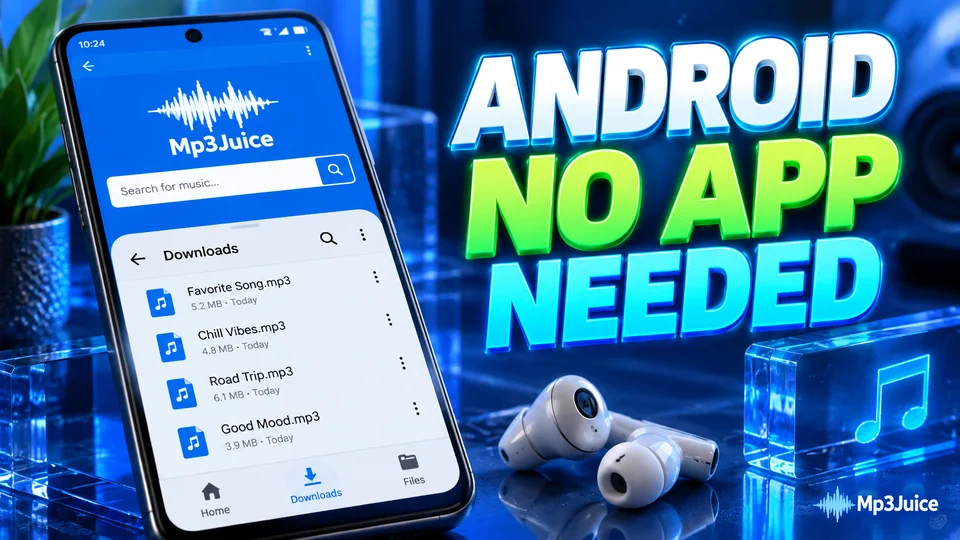 Mobile Guides
7 min read
Find a downloaded track on Samsung, Pixel or Xiaomi, move it to the Music folder and deal with the hidden .nomedia file.
Read the guide Library Organization
7 min read
How ID3 tags work, how to fill them in bulk with Mp3tag and how to arrange folders so a car stereo can read them.
Read the guideFinal note
MP3Juice is a quick way to find a track and save the audio when you have the right to do so. Use the preview, check the result details and choose a sensible bitrate. If a source is missing or blocked, another upload or a licensed platform is usually the better answer.